Your own Serve Team Hub
One home for your whole team
A simple app every team member opens on their phone. Everything they used to text you about lives in one place, and your leaders see a little more. It is the hub from Chapter 30 of Developing the Dream Team, set up as your church's own copy.
Try the live demo Ask for your own copy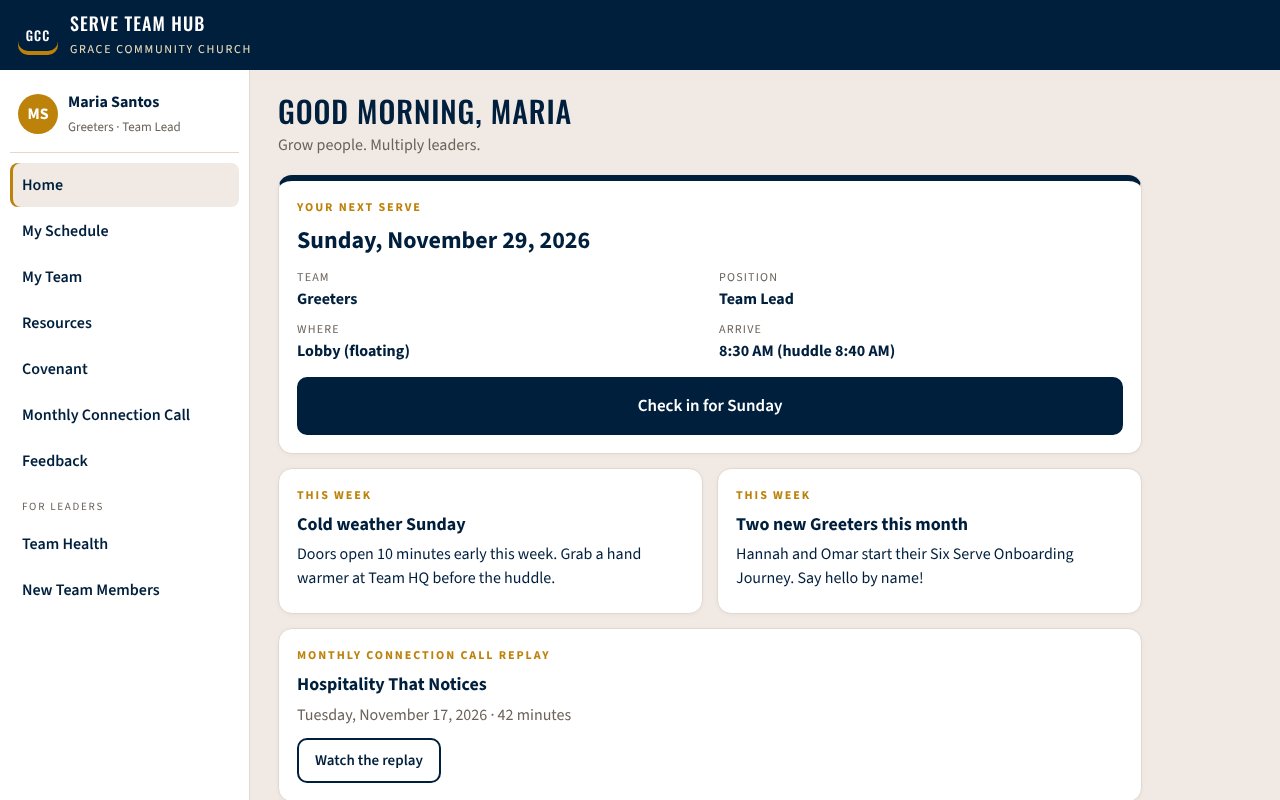
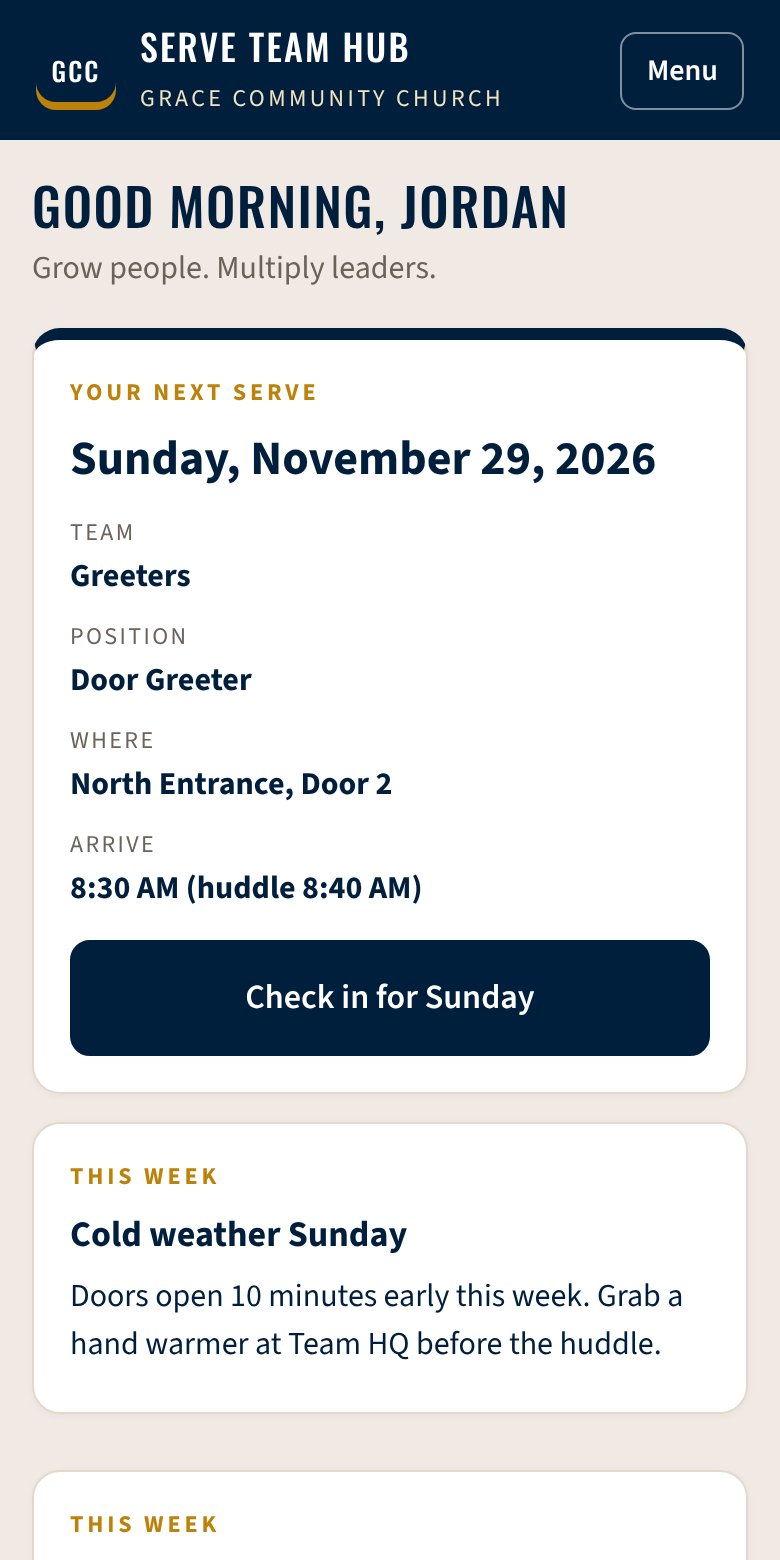
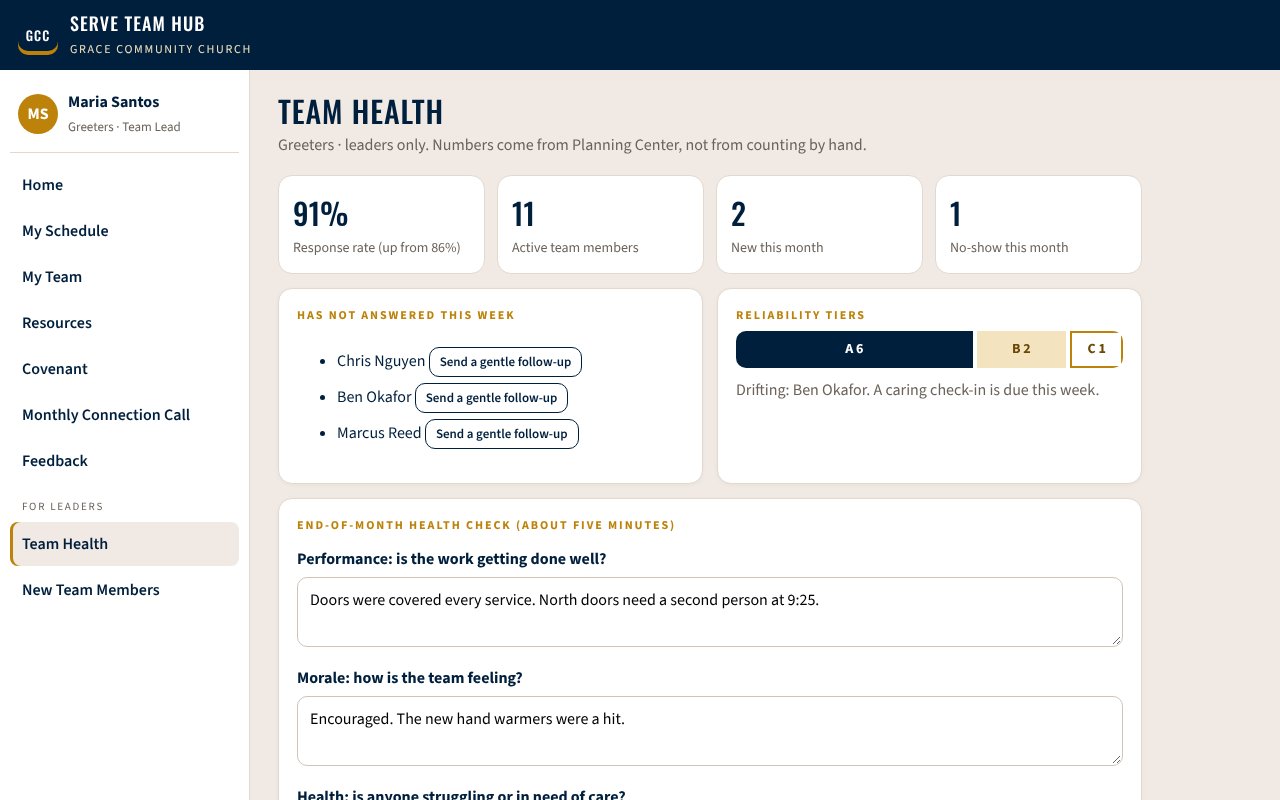
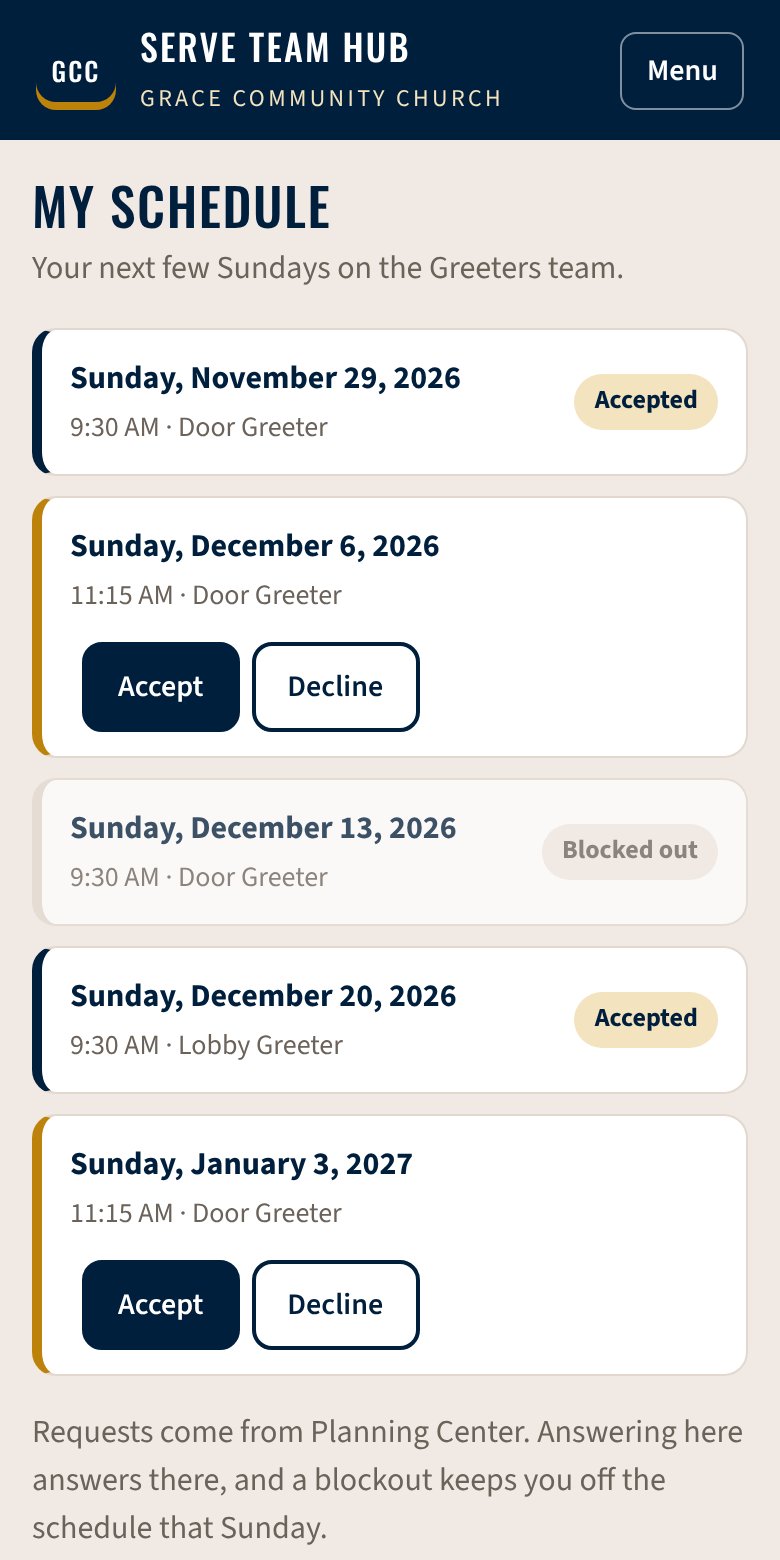
Pictures from the demo, with a made-up church. Your copy wears your church's name, logo and colors.
For every team member
What your team sees
- Sunday check-in with one tap
- Their next serve: date, position, door and arrival time
- The full schedule, with accept, decline and blockouts
- Their team, so everyone knows teammates by name
- Every Serve Sheet and resource, sorted into the four kinds
- The covenant to read and sign
- The monthly connection call replay
- Feedback and a "You said, we did" list
For leaders
What your leaders see
- Who has not answered this week's requests
- Team Health: response rate, no-shows, active count
- Reliability tiers, seen only by leaders
- The monthly health check in about five minutes
- New team members walking the Six Serve Onboarding Journey
- Leader supported resources: huddle guides and scripts
What you get
Your church's own copy
- Your own web address, your name, logo and colors.
- Your own private database. Nothing is shared with any other church.
- Sign-in with the email address each person already uses in Church Center. No passwords to forget.
- Your teams, roles and Serve Sheets loaded in, starting from the templates in the library.
- Help rolling it out to your leaders first, then your whole team.
The Hub works with Planning Center. It reads your teams, people and schedules from Planning Center Services and People, so you keep scheduling the way you already do. It does not replace your church-wide app; it serves the people who serve.
How setup works
Rough steps
- AskSend the form below. It takes about two minutes.
- A short conversationWe talk through your teams, your campuses and what you want first, and make sure the Hub fits.
- Your copy is builtYour Hub is set up on its own web address with your branding and its own database.
- Connect Planning CenterYou create a Planning Center connection key and type it straight into your Hub's settings yourself. Keys are never emailed or shared.
- Load your teamYour teams, roles, Serve Sheets, covenant and campus details go in.
- Leaders firstYour leaders get in a week or two early, so they can help their teams.
- Whole teamEveryone puts the Hub on their phone's home screen.
Ask for your own copy
Tell us about your team
Thank you, your request is in
Barbara will reach out by email to set up a short conversation about your team. In the meantime, the Resource Library is a great place to start getting your Serve Sheets ready.